
The dashboard
Accounts and their stats, a shared content library, scheduling and team roles. Included with every plan.
The dashboard is where you and your team run everything, from any browser. Whichever products you buy, it comes with all of these at no extra cost.
Accounts and stats
Add every social account you run, on Instagram, TikTok, X or Threads. For Instagram and TikTok, AutoGrowth tracks followers, growth and profile details on its own servers, so the stats keep updating even when your phones are off.
Tie each account to the phone it lives on, and to its container if the phone has several, and every automation for that account lands in the right place.
Content library
Upload your photos and videos once, into a library your whole team shares. Group them into collections, for example one per account or one per campaign. Posting automations take their media from here, and you can see at a glance which items are fresh, queued or already posted.
Every Phone Control slot adds 20 GB of storage.
Scheduling and logs
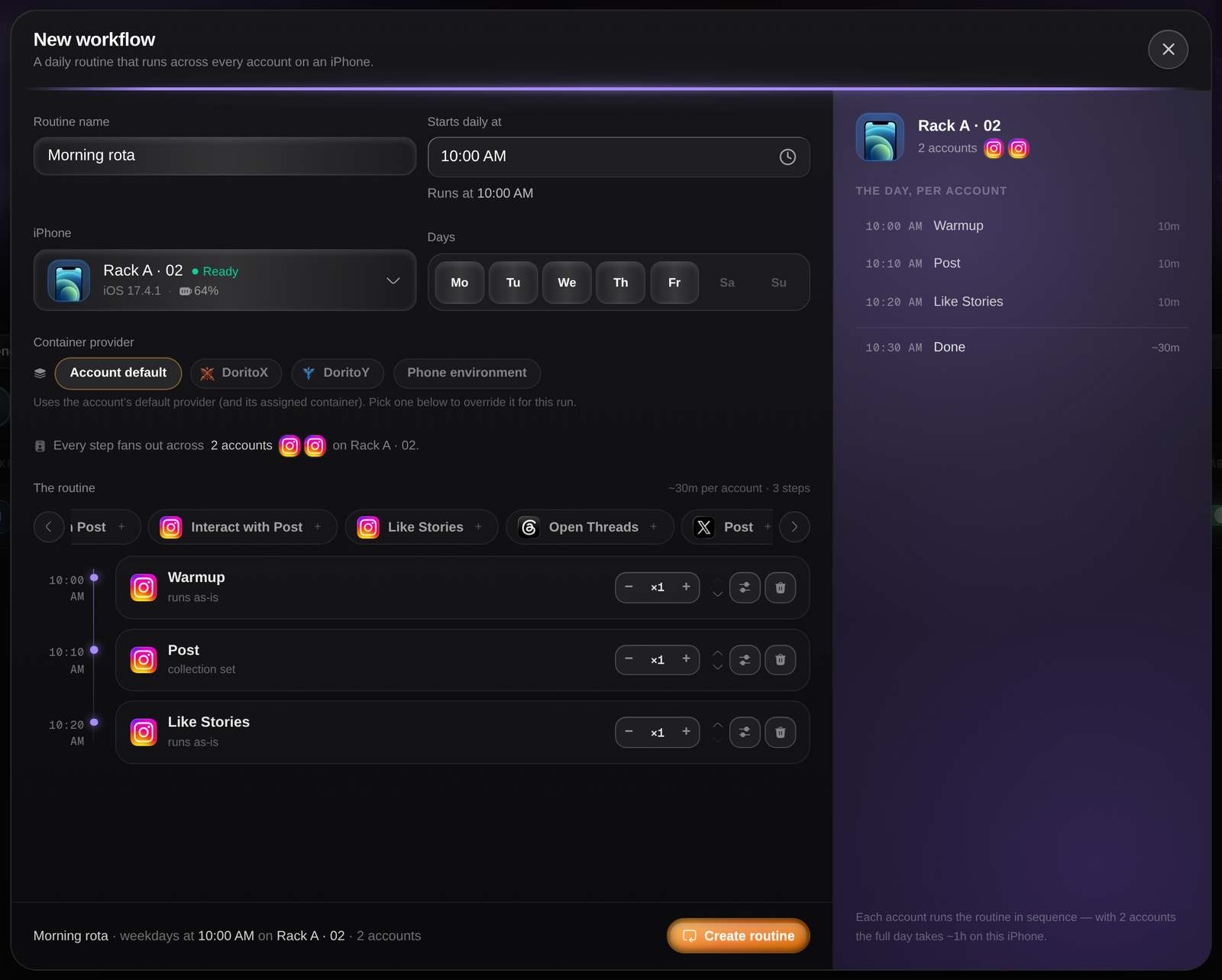
Schedule any automation for one account or for hundreds at once, or build daily workflows that repeat on their own. Every run keeps a log with a screenshot of each step, so you can see what happened without touching the phone.
Team and roles
Invite your team into your organization. Give each person a role that decides what they can see and change, from read-only to full control, and create your own roles. Choose which phones each person sees, so a contractor only ever sees the phones they work on.
Billing in one place
Top up credits by card or crypto, buy and remove products, and see your next renewal line by line. See Pricing.
Next
MCP and API
Run your fleet from Claude or your own code.
Choose your setup
Work out which products you need.
Sign in to read the full docs
The setup guides, playbooks, reference and API docs are only open to paying customers.