

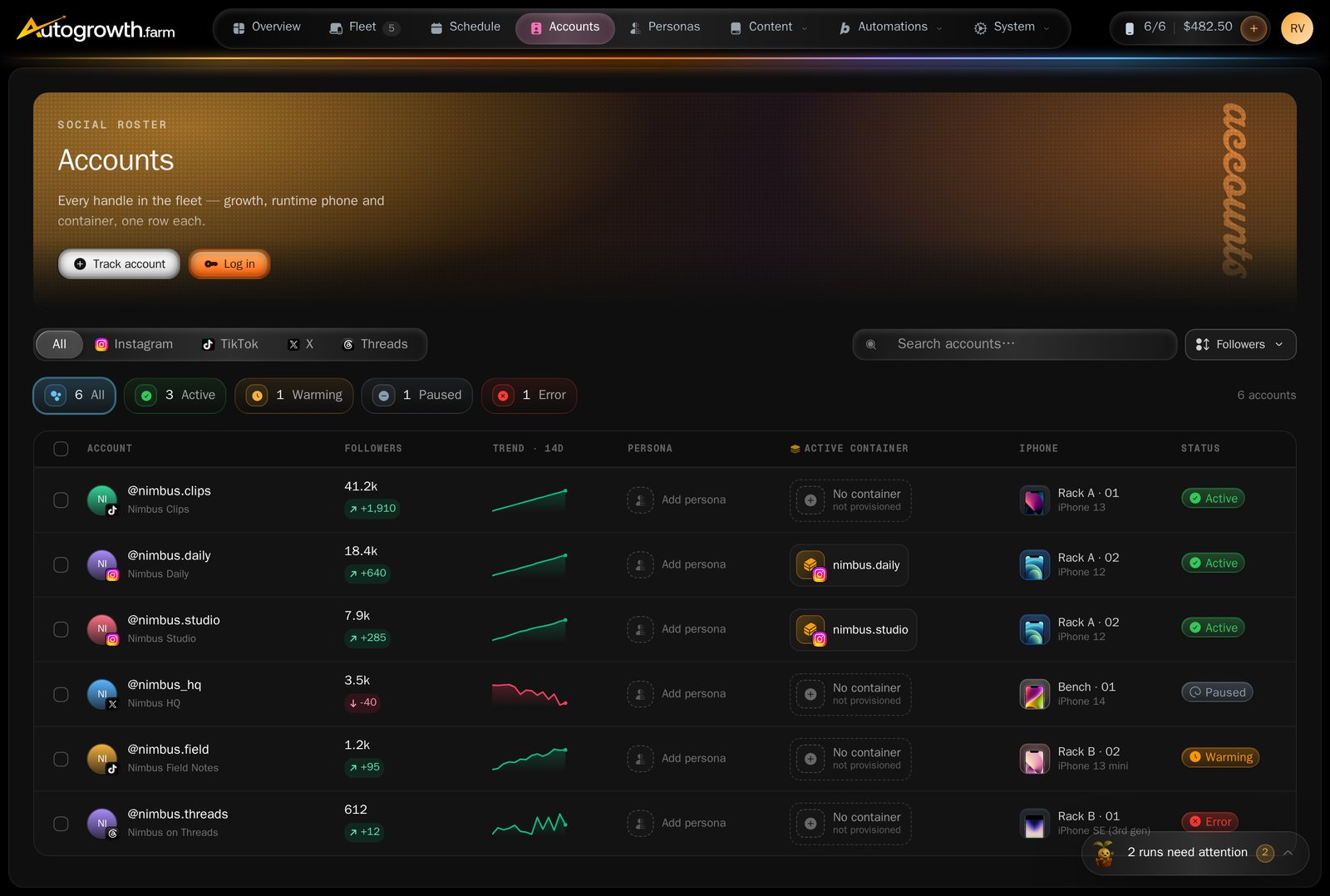
The accounts roster.
Add an account
Press Track Account.1
Choose the platform
“Use the platform this account belongs to.”
2
Enter the handle
“Add the account username. The @ is optional.” It is stripped and lowercased
for you. One to 30 characters.
3
Choose a runtime phone, or do it later
The Runtime phone is the iPhone that will run this account’s scheduled
automations. If you are only here for the stats, use Assign later — “Track
stats now, choose automation runtime later.”
4
Point it at a container, if the phone has them
Doritos container — “For jailbroken phones, pick the app container that
already holds this social login.” See Containers.
Adding a handle you already track, but with a different phone, is not an error. It
links the extra phone to the existing account and tells you so.
Phones and containers
An account can be linked to several phones. Open Link iPhones from the account and tick them — automations can then run on any of them, and one is kept as the account’s home phone. Linking requires Autogrowth MAX. The container is set separately, in the account’s detail view under Assign container. An account with no phone yet is told Assign a phone to this account first.What the status chips mean
An account whose handle no longer exists on the platform has no chip of its own — it
shows only under All, tinted red like an error.
Pausing an account is not something the dashboard does today. The Pause button
on the roster’s bulk bar reports success without changing anything. Untracking works
properly: it stops collection and removes the account from the list, and, as the
confirmation says, “They were only untracked here — nothing changed on the phone.”
The stats, and when they arrive
AutoGrowth reads public profile data: followers, following, post count, bio, display name, profile picture, and whether the account is verified or private. TikTok adds hearts and diggs.
That is the whole schedule. There is no “refresh now” button, and numbers you see during
the day are yesterday’s, plus whatever the first read collected.
Reading the numbers
The account detail view leads with Followers · 14d trend: a sparkline, the current follower count, and the change over the last week in both people and percent. With fewer than two collections it says “Not enough history yet” instead of drawing a line. History is kept for 90 days.Two tiles beside it are not working metrics yet. Engagement · 30d avg is not
calculated and generally reads 0.0%, and Success has no run data behind it. Ignore
both.
When collection fails
A failed read turns the chip red and nothing else. The reason — a rate limit, a handle that 404s, a provider error — is recorded but is not shown anywhere in the dashboard. If an account sits on Error for days, send the handle to support and ask what the last error was. One behaviour worth knowing: if the daily run hits a rate limit, it stops there. The accounts it had not reached yet are not collected until the next day. A whole block of accounts going stale on the same morning is usually this, not a problem with those accounts.What to read next
Containers
Give each account its own identity on a shared phone.
Automations
What an account can be made to do once it is on a phone.