

Build one
Press New workflow.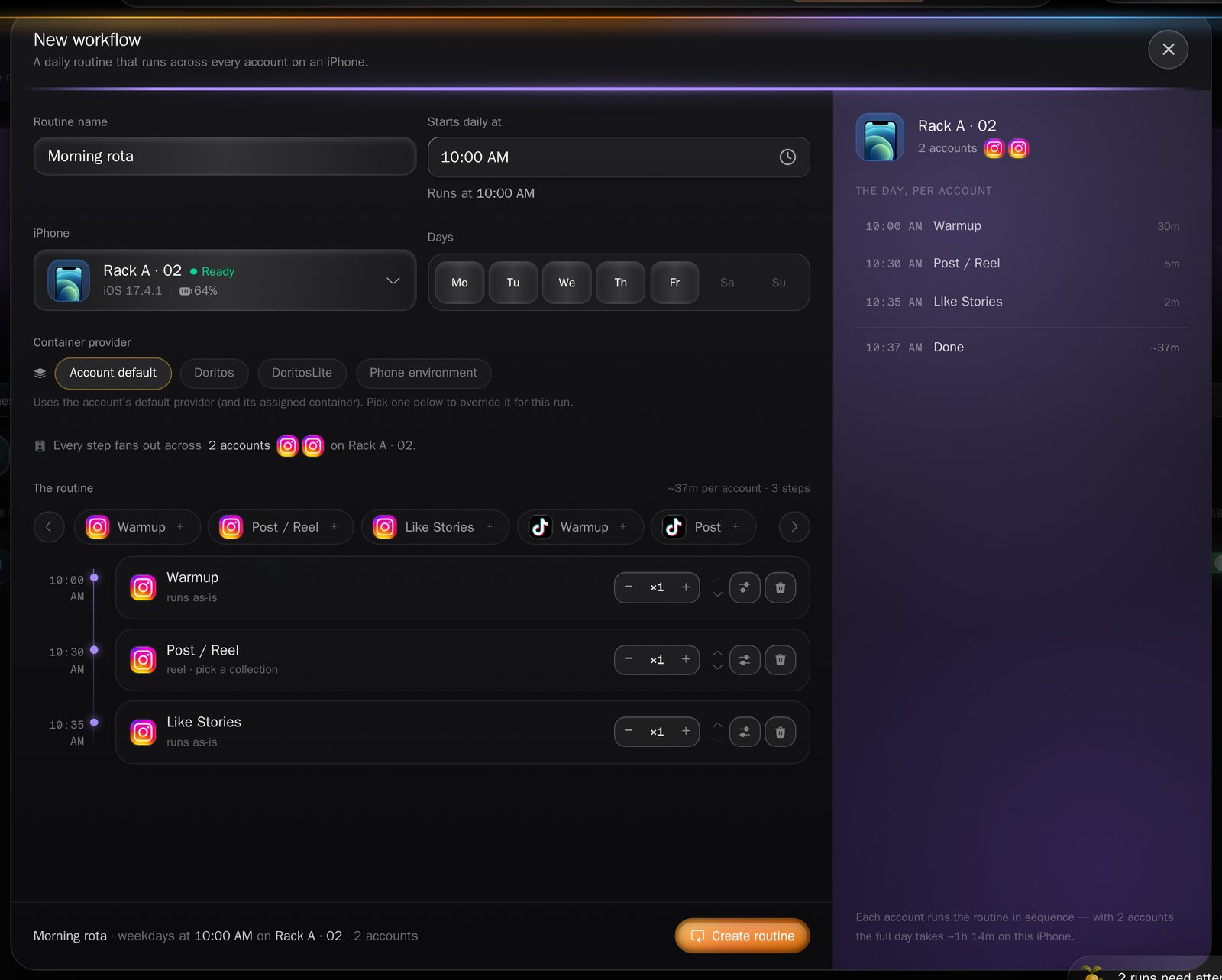
The workflow builder.
Each step runs between 1 and 50 times per account, and a routine needs at least one step.
A posting step must name a collection to draw media from — the
builder will not save without one.
Not every automation can be a step. The log-in jobs are excluded, because fanning a login
across every account on a phone every morning makes no sense. The catalogue table in
Automations says which are eligible.
Run it, pause it, retire it
The workflows list shows Workflow, Accounts, Schedule, Last run and Enabled, with filters for Active, Paused and Warnings.- The Enabled switch pauses and resumes. A paused routine stops producing runs; the runs it already created are untouched.
- Bulk Pause and Resume act on everything you have ticked.
- Delete archives it. The confirmation reads “Delete this workflow? Scheduled runs will stop.” The routine disappears from the list and its row reads Archived; it is hidden, not destroyed.
Resuming re-checks your licence; pausing does not. If MAX is not active on the
organization, a paused routine cannot be switched back on.
Warnings, and the step that quietly does not run
Each morning the routine builds that day’s runs. Anything it could not do is recorded on the routine and shown in its detail panel under Last run warnings — the list keeps the most recent 50.
The Incubator, a separate MAX feature, warms accounts up over a few days before they
start posting; it is not part of a workflow.
What to read next
Collections
The draining queue a posting step feeds from.
Scheduling
Where the runs a routine produces show up.